
 EN
EN
 AR
AR
 HR
HR
 DA
DA
 NL
NL
 FR
FR
 DE
DE
 EL
EL
 HI
HI
 IT
IT
 JA
JA
 KO
KO
 NO
NO
 PL
PL
 PT
PT
 RO
RO
 RU
RU
 ES
ES
 TL
TL
 IW
IW
 ID
ID
 SR
SR
 SK
SK
 UK
UK
 VI
VI
 TH
TH
 TR
TR
 AF
AF
 MS
MS
 IS
IS
 HY
HY
 AZ
AZ
 KA
KA
 BN
BN
 LA
LA
 MR
MR
 MY
MY
 KK
KK
 UZ
UZ
 KY
KY
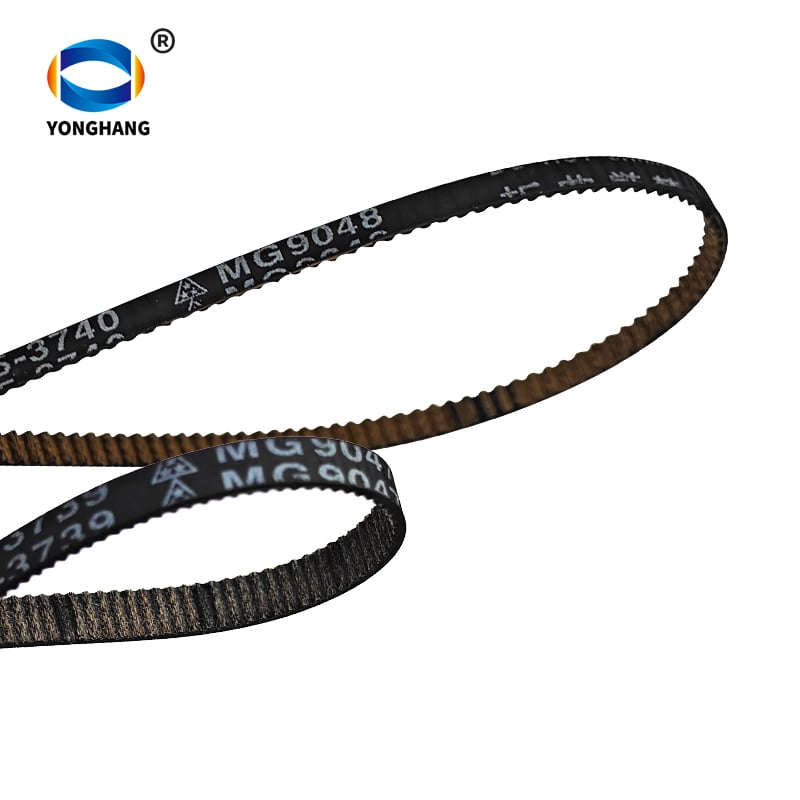
תקלות בחגורות מדפסת הן אחת הבעיות החומריות הנפוצות ביותר במדפסות צבעוניות אינקג'ט סדרת TS של קנון. שתי החגורות הגומיות שמשנות תדירות רבה — חגורת הזנת נייר QC5‑3739 MG9047 וה חגורת תזמון קרוסלה MG9048 — מתאימות לאותו רשימת דגמים של מדפסות קנון, אך ממלאות פונקציות מכניות שונות לחלוטין. טכנאי תיקון רבים ומשתמשים סופיים טועים בהבחנה ביניהן בעת אבחון התקלות ובזמן הזמנת החלפים. מאמר זה מסביר את ההבדלים ביניהן, את המפרטים הטכניים שלהן, את התסמינים של כשלן ואת מקורות ההחלפה דרך יונג האנג בלת.
שני החגורות הן חלקים גלויים להחלפה עשוי גומי למדפסות Canon TS9580, TS8180, TS9120, TS6120, TS6080, TS8080 ו־TS9020. עם זאת, אינכם יכולים להחליף ביניהן: הצבת חגורת הזנת נייר לחוגרת התנועה או להפך תוביל לשגיאות הדפסה, קיעורים של נייר או נזק לחומרה.
מהי חגורת הזנת הנייר QC5‑3739 MG9047?
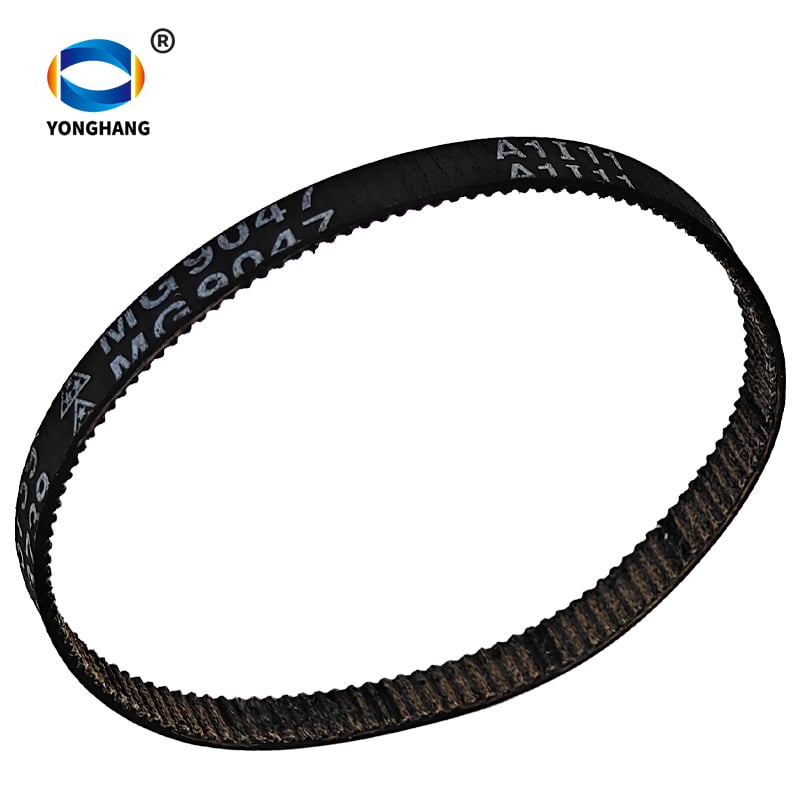
ה חגורת הזנת נייר QC5‑3739 (MG9047) מפעילה את מערכת איסוף הנייר בתוך מדפסות סדרת Canon TS שמתאימות. היא אחראית על משיכת הנייר מהתיבה התחתונה לתוך מסלול ההדפסה.
מפרטים טכניים עיקריים :
- מספר חלק: QC5‑3739
- סימון החגורה המודפס על פני החגורה: MG9047
- חומר: גומי
- תפקוד: הנעה להזנת נייר / לאיסוף נייר
- מודלים של מדפסות תואמות: Canon TS9580, TS8180, TS9120, TS6120, TS6080, TS8080, TS9020
סימנים טיפוסיים לכישלון של חגורת הזנת נייר MG9047 שנשחקה:
- המדפסת מדווחת על שגיאת חוסר נייר גם כאשר נייר מוטען
- הנייר מחליק, לא נלכד כראוי או מוזרם חלקית
- התראה חוזרת על קיבוע נייר ללא שאריות נייר גלויות
- אין תנועת משיכה שמושמעת בעת הפעלת משימות הדפסה
אם אתם מזהים את התופעות הללו, יש לכם צורך ב־ חגורת הזנת נייר QC5‑3739 MG9047 למדפסת Canon במקום בחגורה של המנגנון הניעולי.
מהי חגורת התזמון MG9048?
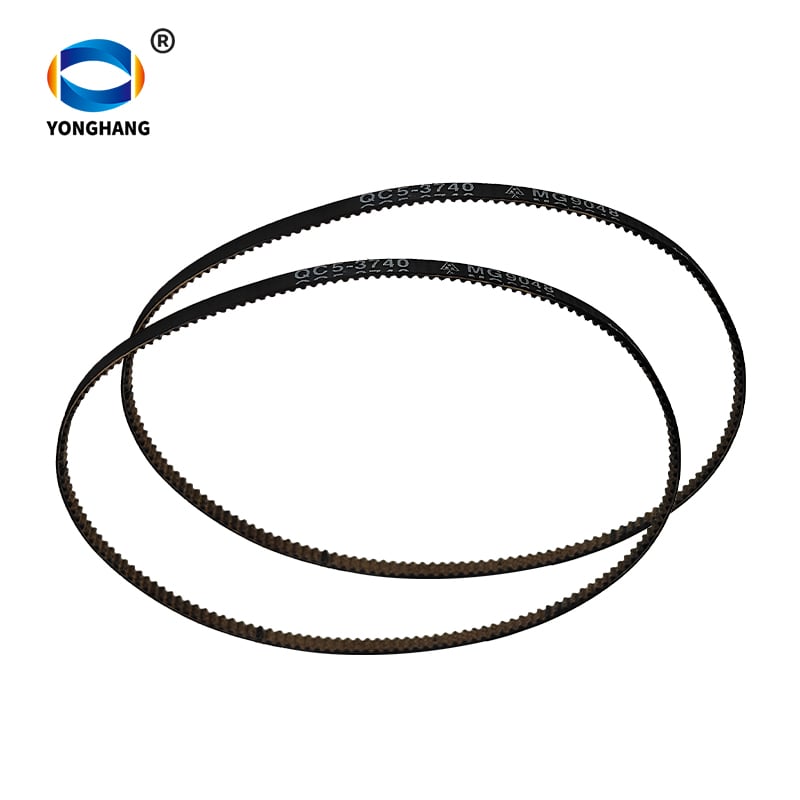
ה חגורת המנגנון הניעולי MG9048 (חגורת תזמון MoChe) שולטת בתנועת המנגנון הניעולי של ראש ההדפסה. חגורת זו מזיזה את ראש ההדפסה ימינה ושמאלה לאורך פני דף הנייר כדי להשלים הדפסת תמונות וטקסט.
מפרטים טכניים עיקריים :
- סימון חגורת הפעלה מודפס על פני החגורה: MG9048
- חומר: גומי
- תפקידה: הנעת הקרוסן/ראש ההדפסה בזמנים מדויקים
- מודלים של מדפסות תואמות: Canon TS9580, TS8180, TS9120, TS6120, TS6080, TS8080, TS9020
סימנים טיפוסיים לתקלה בחגורה MG9048 של הקרוסן:
- תוצאת ההדפסה מציגה פסים אופקיים, טקסט לא מיושר או גרפיקה מעוותת
- ראש ההדפסה יוצר צלצול, קול שרטוט או קול דילוג
- הקרוסן אינו מסוגל לנוע לאורך כל הטווח, עוצר באמצע הדרך או מפעיל הודעות שגיאה חומרתיות
- אין בעיות בהזנת נייר, אך איכות ההדפסה פגומה באופן חמור
כאשר מתגלות תקלות הקשורות לקרוסן, יש לבדוק חגורת הקרוסא של Canon MG9048 לחלופה.
טבלת השוואה צד-אל-צד: חגורה MG9047 לעומת חגורה MG9048
| פריט | חגורת הזנת נייר QC5‑3739 MG9047 | חגורת זמן לקולחון QC5‑3740 MG9048 |
|---|---|---|
| סימון מודפס על החגורה | MG9047 | MG9048 |
| מספר חלק של Canon | QC5‑3739 | QC5‑3740 |
| התפקיד העיקרי | הזנת נייר וקליטת נייר | תעבורה של קולחון הדפוס |
| חומר | גומי | גומי |
| רשימת מדפסות תואמות | TS9580, TS8180, TS9120, TS6120, TS6080, TS8080, TS9020 | TS9580, TS8180, TS9120, TS6120, TS6080, TS8080, TS9020 |
| תסמין כשל נפוץ | פתק נייר, חסימות בהזנת נייר, התראות שגויות על חוסר נייר | אי-יישור הדפסה, דילוג של העצם המניע, כשל בתנועת ראש ההדפסה |
| ניתן להחליף ביניהם? | ❌ לא ניתן להשתמש כחגורת עצם מונעת | ❌ לא ניתן להשתמש כחגורת הזנת נייר |
הערה: למרות ששתי החגורות מתאימות לאותו סדרת מדפסות, לחגורות MG9047 ו-MG9048 יש פרופילי שיניים, מידות ודרישות מתח שונות. התקנה חוצצת אינה תעבוד ועשוייה לפגוע במדפסת שלכם.
למה חגורות מדפסות מסדרת Canon TS אלו נכשלות?
מניסיון הייצור שלנו בחברת Yonghangbelt, חגורות מדפסות מגרוטאות נחלשות עם הזמן בעיקר בגלל הגורמים הבאים:
- מתח מחזורי ארוך טווח וחיכוך בתוך מנגנון המדפסת.
- התקררות בתוך מעטפת המדפסת, המאיצה את ההזדקנות של הגרוטאות.
- זיהום באבק, אבקת נייר ושמן גורם להחלקה על פני השטח.
- מחזורי הדפסה יומיים כבדים למשתמשי משרד בית או עסקים קטנים.
כשהגומי מאבד חיכוך או אלסטיות, הביצועים יורד: ремזים לינקי נייר מתחלקים על גלגלים, ו ремזים לזמן מדלגים על שיניים עבור עגלה ראש הדפסה. החלפת ремז המתאים היא הרבה יותר כדאית מבחינה כלכלית מאשר רכישת מדפסת חדשה שלמה מסדרת TS.
איך לאשר איזה ремז אתה צריך לפני הזמנה
בצע את השלבים הפשוטים האלה כדי להימנע מהזמנת ремז חלוף שגוי:
- צפה בתקלת המדפסת שלך: האם הבעיה היא בזינוק נייר או בתנועת ראש הדפסה?
- פתח את גוף המדפסת ובדוק את הסימון המודפס על פני ремז הישן: חפש חותם MG9047 או MG9048.
- אמת שוב את מספר המודל המדויק של מדפסת Canon (TS9580 / TS8180 וכו') מול רשימות התאימות.
- התאם תסמינים: תקלות זינוק נייר = MG9047; תקלות תנועת ראש הדפסה = MG9048.
גלה את המבחר המלא שלנו ב דף מוצר חגורות מדפסת אם אתם צריכים חגורות העברה אחרות למדפסות Canon, Epson, HP או Sony.
שאלות נפוצות
ש: האם החגורה MG9047 יכולה להחליף את החגורה MG9048 במדפסת ה־Canon TS9580 שלי?
ת: לא. חגורת הזנת הנייר MG9047 וחגורת התזמון של הקרוס MG9048 נבדלות זו מזו במ hồיות המכאניות שלהן. הן תואמות את אותה רשימת מדפסות, אך משרתות מערכות הנעה נפרדות. התקנה חוצצת תגרום לתפקוד לקוי של המדפסת ויכולה לגרום לפגיעות חומריות.
ש: אילו דגמים של מדפסות Canon תומכים בחגורות QC5‑3739 MG9047 ו־MG9048?
ת: שתי החגורות תואמות למדפסות הזרקת הדיו Canon TS9580, TS8180, TS9120, TS6120, TS6080, TS8080 ו־TS9020. תמיד אשרו את דגם המדפסת המדויק שלכם לפני הקנייה.
ש: האם חגורות ההחלפה ל־Canon של Yonghangbelt זהות באיכותן לחגורות יצרנית מקורית (OEM)?
ת: Yonghangbelt מייצרת חגורות מדפסת מ каучוק שמתאימות למימדים ולדרישות הביצועים של החגורות המקוריות. אנו מספקים הצעות מחיר מותאמות אישית, וכן קניות סיטונאיות גדולות עבור סוכנויות תיקון ומפיצים ברחבי העולם.
ש: איפה אפשר לקבל הצעת מחיר לחגורות אלו למדפסות Canon?
א: בקרו בכל דף מוצר ולחצו על "קבלו הצעת מחיר". תוכלו לשלוח את הכמות המבוקשת, מודל היעד והדרישות ליעד למשלוח כדי לקבל תמיכה בהגדרת מחיר מותאם.
מחשבות אחרונות
חגורת הזנת הנייר QC5‑3739 MG9047 וחגורת התזמון של הקרוסלה MG9048 הן שתי חלקי חילוף קריטיים אך קלות לבלבול לדפסי תצלומים מסדרת TS של Canon. זיהוי נכון האם הבעיה נובעת ממנגנון הזנת הנייר או מקרוסלת הראש הדפסה יחסוך זמן וימנע החזרות של חלקי חילוף שגויים.
אם אתם טכנאי תיקון מדפסות, סוחר חלקי חילוף או קונה עסקי, חברת Yonghangbelt מספקת חגורות תחליפיות למדפסות מגרניט באיכות גבוהה עם שירות הצעת מחיר מותאם. לחצו על כל דף מוצר לקבלת مواפיינים מפורטים וביקוש הצעת מחיר: