
 EN
EN
 AR
AR
 HR
HR
 DA
DA
 NL
NL
 FR
FR
 DE
DE
 EL
EL
 HI
HI
 IT
IT
 JA
JA
 KO
KO
 NO
NO
 PL
PL
 PT
PT
 RO
RO
 RU
RU
 ES
ES
 TL
TL
 IW
IW
 ID
ID
 SR
SR
 SK
SK
 UK
UK
 VI
VI
 TH
TH
 TR
TR
 AF
AF
 MS
MS
 IS
IS
 HY
HY
 AZ
AZ
 KA
KA
 BN
BN
 LA
LA
 MR
MR
 MY
MY
 KK
KK
 UZ
UZ
 KY
KY
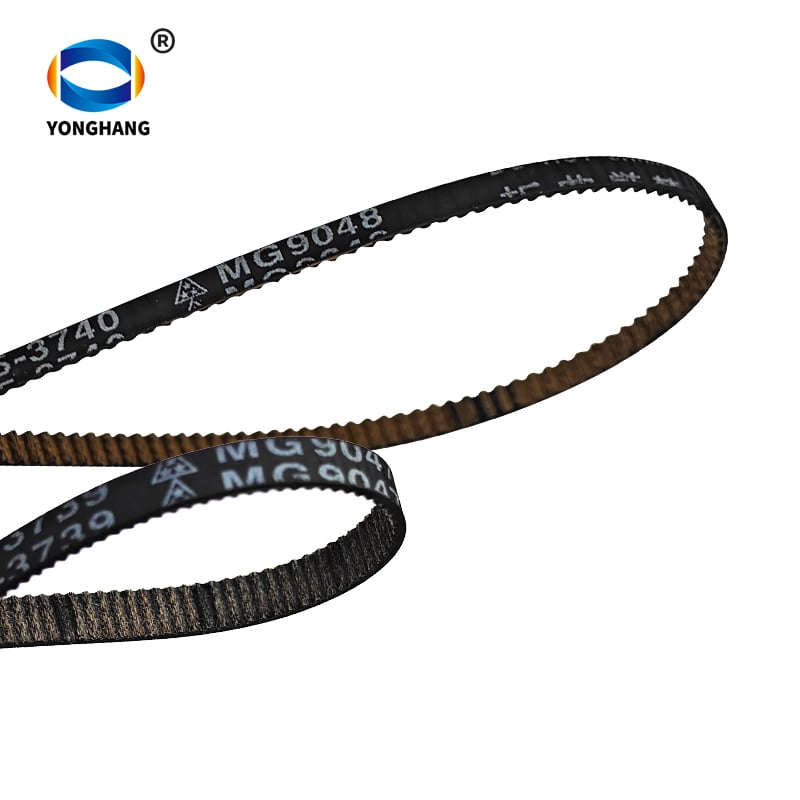
Printer belt failures are one of the most common hardware issues for Canon TS‑series photo inkjet printers. Two frequently‑replaced rubber belts — the QC5-3739 MG9047 Paper Feed Belt et MG9048 Carriage Timing Belt — fit the exact same list of Canon printer models, yet serve completely different mechanical functions. Many repair technicians and end‑users mix them up during troubleshooting and part ordering. This article breaks down their differences, specifications, failure symptoms, and replacement sourcing from Yonghangbelt.
Ambae cingula sunt ex caoutchouco facta et ut partes de recusatione pro imprimatris Canon TS9580, TS8180, TS9120, TS6120, TS6080, TS8080 et TS9020 utuntur. Tamen, haec duo cingula inter se non commutari possunt: si cingulum ad alimentationem chartae pro machina carrucae ponatur, aut vice versa, errores in imprimendo, impactiones chartarum, aut damna mechanica evenire possunt.
Quid est cingulum alimentationis chartae QC5‑3739 MG9047?
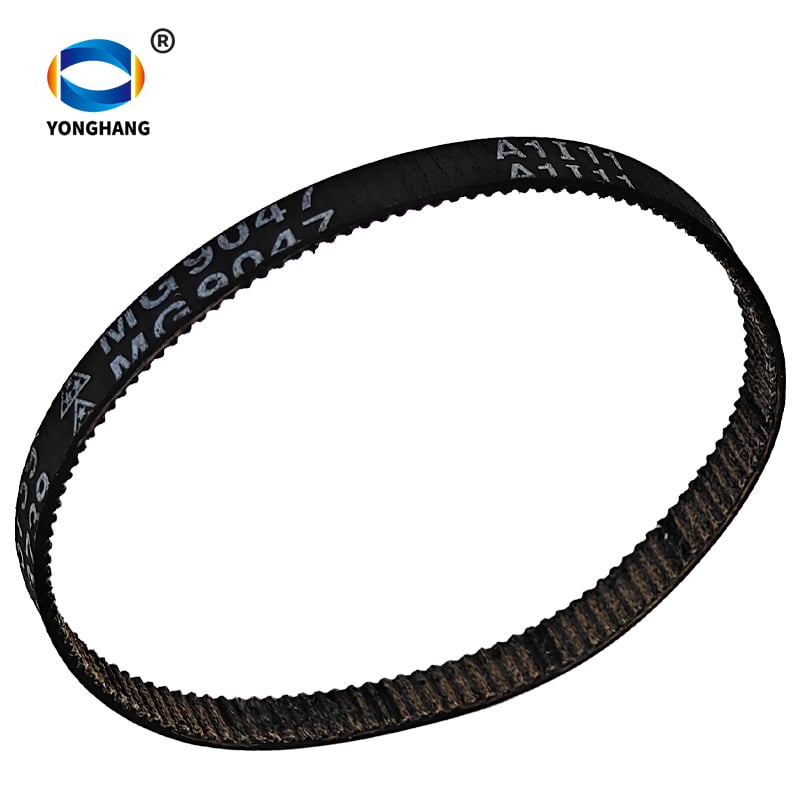
The Cingulum alimentationis chartae QC5‑3739 (MG9047) movet systema ad chartas capiendas intra imprimatres Canon seriei TS compatibiles. Hoc cingulum chartas a vasso introductorio in viam imprimendi trahit.
Specifica Principalia Producti :
- Numerus partis: QC5‑3739
- Notatio cinguli impressa in superficie cinguli: MG9047
- Materies: Caoutchouc
- Functio: Alimentatio chartae / impulsio ad chartas capiendas
- Imprimatres compatibiles: Canon TS9580, TS8180, TS9120, TS6120, TS6080, TS8080, TS9020
Signa typica defectus cinguli alimentationis chartae MG9047 consumpti:
- Imprimatrix errorem 'charta defuit' nuntiat, etiamsi chartae sint praeparatae
- Paper slips, fails to grab, or feeds partially
- Repeated paper-jam alerts without visible paper debris
- No audible pulling motion when starting print jobs
If you observe these symptoms, you need QC5-3739 MG9047 Canon Printer Paper Feed Belt instead of a carriage belt.
What Is the MG9048 Carriage Timing Belt?
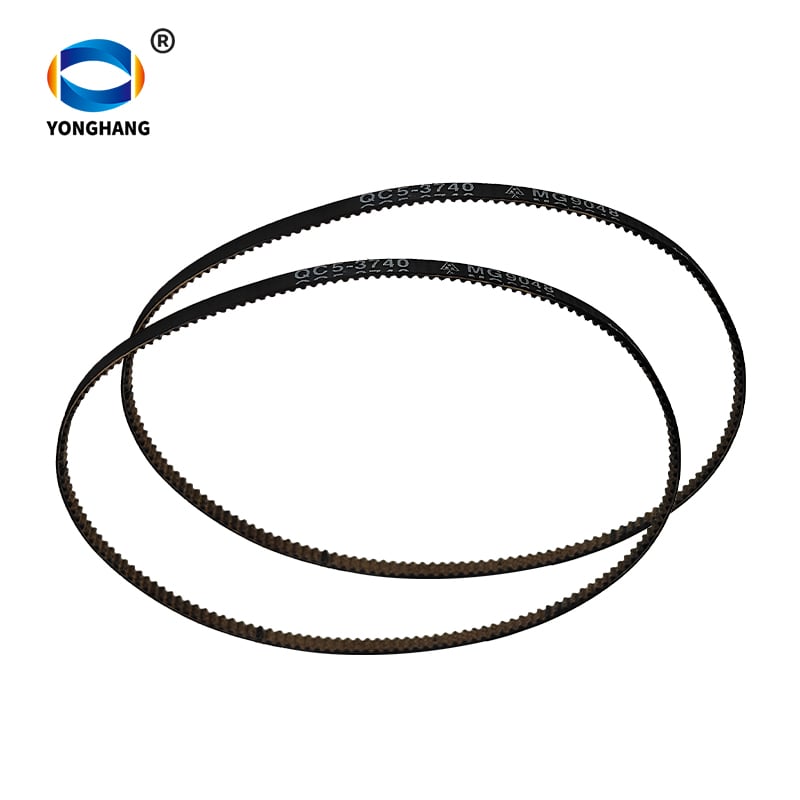
The MG9048 carriage belt (MoChe timing belt) controls the print-head carriage movement. This belt moves the print head left-and-right across the paper surface to complete image and text printing.
Specifica Principalia Producti :
- Belt marking printed on belt surface: MG9048
- Materies: Caoutchouc
- Function: Carriage / print-head movement timing drive
- Imprimatres compatibiles: Canon TS9580, TS8180, TS9120, TS6120, TS6080, TS8080, TS9020
Typical failure signs for a defective MG9048 carriage timing belt:
- Print output shows horizontal banding, misaligned text or distorted graphics
- Print-head makes grinding, skipping or rattling noise
- Carriage cannot travel full range, stops halfway or throws hardware error codes
- No paper-feed issues, but print quality is severely corrupted
When you face carriage-related malfunctions, please check Canon MG9048 Carriage Belt for replacement.
Side-by-Side Comparison Table: MG9047 vs MG9048 Belt
| Elementum | QC5-3739 MG9047 Paper Feed Belt | QC5‑3740 MG9048 Cingulum temporale pro carruca |
|---|---|---|
| Signum impressum in cingulo | MG9047 | MG9048 |
| Numerus partis Canon | QC5‑3739 | QC5‑3740 |
| Principale Officium | Alimentatio chartae & captio chartae | Motus carrucae capitis imprimendi |
| Materia | Gummi | Gummi |
| Index imprimendarum compatibilium | TS9580, TS8180, TS9120, TS6120, TS6080, TS8080, TS9020 | TS9580, TS8180, TS9120, TS6120, TS6080, TS8080, TS9020 |
| Symptoma defectus communis | Paper slip, paper-feed jams, false no-paper alerts | Print misalignment, carriage skipping, print-head movement failure |
| Intermutabiles sunt? | ❌ Cannot use as carriage belt | ❌ Cannot use as paper feed belt |
Note: Even though they fit the same printer hardware series, MG9047 and MG9048 belts have different tooth profiles, dimensions and tension requirements. Cross-installation will not work and may damage your printer.
Why Do These Canon TS-Series Printer Belts Fail?
From our manufacturing experience at Yonghangbelt, rubber printer belts degrade over time mainly from these factors:
- Long-term cyclic tension and friction inside the printer mechanism.
- Heat build-up inside the printer enclosure accelerating rubber aging.
- Dust, paper powder and oil contamination causing surface slipping.
- Cycli di stampa quotidiani ad alta intensità per utenti domestici, da ufficio o piccole imprese.
Quando la gomma perde attrito o elasticità, le prestazioni calano: le cinghie di alimentazione scivolano sui rulli della carta e le cinghie dentate saltano i denti del carrello della testina di stampa. Sostituire la cinghia corrispondente è molto più conveniente che acquistare una nuova stampante della serie TS.
Come confermare quale cinghia serve prima dell’ordine
Segui questi semplici passaggi per evitare di ordinare la cinghia di ricambio sbagliata:
- Osserva il guasto della tua stampante: il problema riguarda l’alimentazione della carta o il movimento della testina di stampa?
- Apri la carcassa della stampante ed esamina il marchio stampato sulla superficie della vecchia cinghia: cerca il codice MG9047 o MG9048.
- Verifica nuovamente il numero esatto del modello Canon della tua stampante (TS9580 / TS8180 ecc.) rispetto agli elenchi di compatibilità.
- Confronta i sintomi: guasti nell’alimentazione carta = MG9047; guasti nel movimento della testina di stampa = MG9048.
Esplora tutta la nostra gamma sulla Pagina prodotto Cinghie per stampanti si vos besogna altris cingulis de transmissione par impresoras Canon, Epson, HP o Sony.
Questiones Frecventer Interrogatae
D: Il cingul MG9047 e pôd remplazar il cingul MG9048 sul mie impresora Canon TS9580?
R: No. Il cingul de alimentazion de papier MG9047 e il cingul de sincronizazion de carozza MG9048 an diferentis profils mecanics. I àn la stessa liste de compatibilità con impresoras ma i serve a sistemes de transmision separâts. Un instalazion incrociade e provocarà un malfunsionament de l’impresora e un potenzial dàu a l’hardware.
D: Quals son i modèls de impresoras Canon che àn compatibilità cun i cingulis QC5‑3739 MG9047 e MG9048?
R: Ambdui i cingulis e son compatibils cun lis impresoras Canon TS9580, TS8180, TS9120, TS6120, TS6080, TS8080 e TS9020 a geto de inchiostro. Confermat sempri il modèl esat de vostre impresora prime de comprâ.
D: I cingulis de remplas Yonghangbelt par impresoras Canon e son equivalenti a quels OEM?
R: Yonghangbelt e produs cingulis di gomme par impresoras che corrispon a lis specificazions dimensionâls e di prestazion OEM. O fer suport a citazions personalizadis, vendite all’ingros par boteghis di riparazion e distribuadôrs intal mont.
D: Dove o pues obtinâ une citazion par chestos cingulis par impresoras Canon?
A: Visit each product page and click “GET A QUOTE”. You can send your quantity, target model and destination requirements for custom pricing support.
Cogitationes Finis
The QC5‑3739 MG9047 paper feed belt and MG9048 carriage timing belt are two critical but easy‑to‑confuse spare parts for Canon TS‑series photo printers. Correctly identifying whether your issue comes from paper‑feed mechanism or print‑head carriage will save you time and avoid wrong‑part returns.
If you are a printer repair technician, spare‑parts reseller or business buyer, Yonghangbelt supplies high‑quality rubber printer replacement belts with custom quotation service. Click through to each product page for detailed specs and quote request:
Index Contentorum
- Quid est cingulum alimentationis chartae QC5‑3739 MG9047?
- What Is the MG9048 Carriage Timing Belt?
- Side-by-Side Comparison Table: MG9047 vs MG9048 Belt
- Why Do These Canon TS-Series Printer Belts Fail?
- Come confermare quale cinghia serve prima dell’ordine
-
Questiones Frecventer Interrogatae
- D: Il cingul MG9047 e pôd remplazar il cingul MG9048 sul mie impresora Canon TS9580?
- D: Quals son i modèls de impresoras Canon che àn compatibilità cun i cingulis QC5‑3739 MG9047 e MG9048?
- D: I cingulis de remplas Yonghangbelt par impresoras Canon e son equivalenti a quels OEM?
- D: Dove o pues obtinâ une citazion par chestos cingulis par impresoras Canon?
- Cogitationes Finis